DBI CounterGuard
Eyes on your cash counter.
AI that flags suspicious galla and cash-counter activity for you to review, using the CCTV cameras you already have, connected through the DBI hardware device.
See it in action
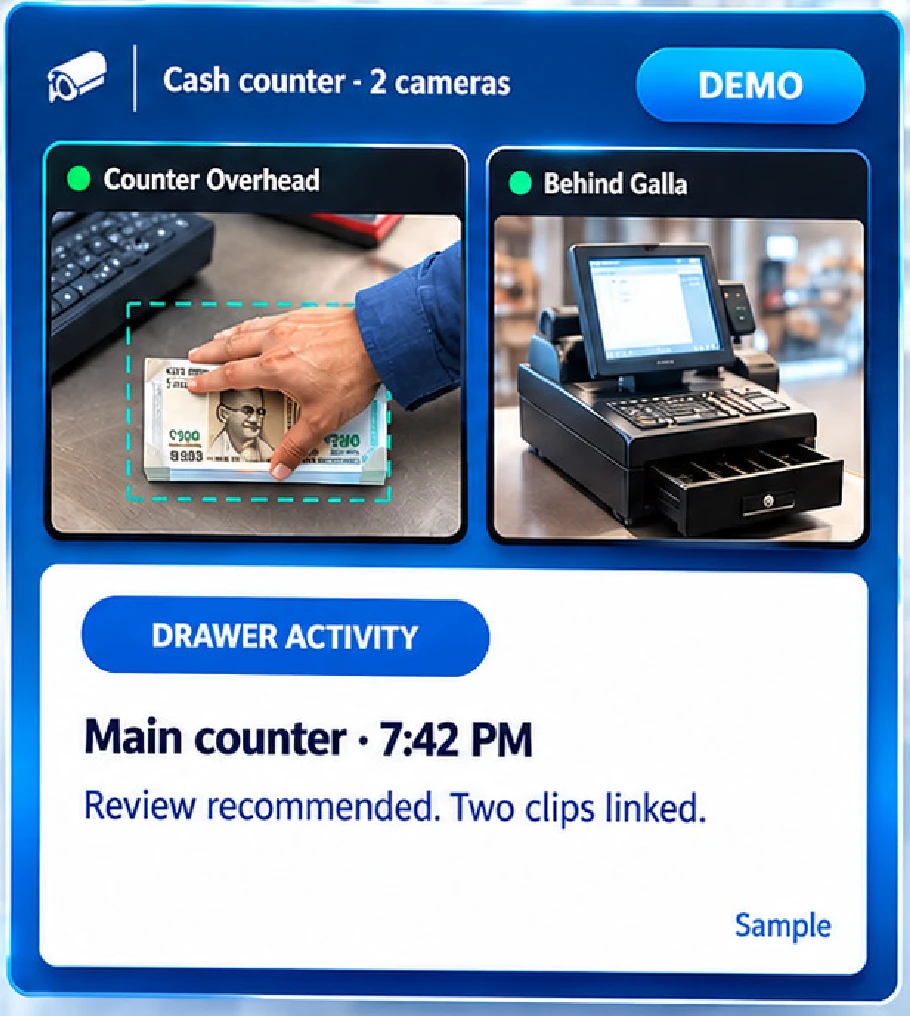
DBI CounterGuard in action
Watch how it keeps an eye on the cash counter, using the cameras you already have.
2 angles
Two cameras, linked by time
0
New cameras needed
Short clips
Not hours of footage
No POS
No billing software needed
Why shop owners need it
The cash counter is the hardest place to watch
Cash moves all day, but owners rarely see what happens at the counter.
Shortfalls with no answers
At closing the cash does not match, and nobody knows when or how it happened.
You cannot be everywhere
Suppliers, customers and phone calls pull you away from the counter.
Hours of footage to search
CCTV records the counter, but finding one drawer moment takes hours.
Doubt hurts the team
Blaming staff without clear footage hurts trust, and honest staff suffer too.
Who we build it for
Shop owners who trust their team but want clarity
Meet Suresh. He runs one counter with two staff on the galla.
Suresh
Owner · Sharma Electronics · One counter, two staff on the galla
Some evenings the gala is short. I don't want to accuse anyone. I just want to see what happened.
Goal
Know what happened at the counter, quickly and fairly.
Frustration
Hours of video, no clear moment to check, and an uneasy feeling in the shop.
What they need
Short clips of drawer and cash activity he can review in the evening, from both angles.
Camera connectivity
Your CCTV, connected through the DBI hardware device
You do not need new cameras. CounterGuard works on the cameras you already have, through the DBI hardware device (the same device runs DBI WatchGuard too).
Your CCTV cameras
The cameras already at your counter. No new cameras needed.
DBI hardware device
Connects your cameras to CounterGuard.
CounterGuard AI
Watches the drawer and cash handling all day.
Short clips for you
Every flag is a short clip you can review and decide.
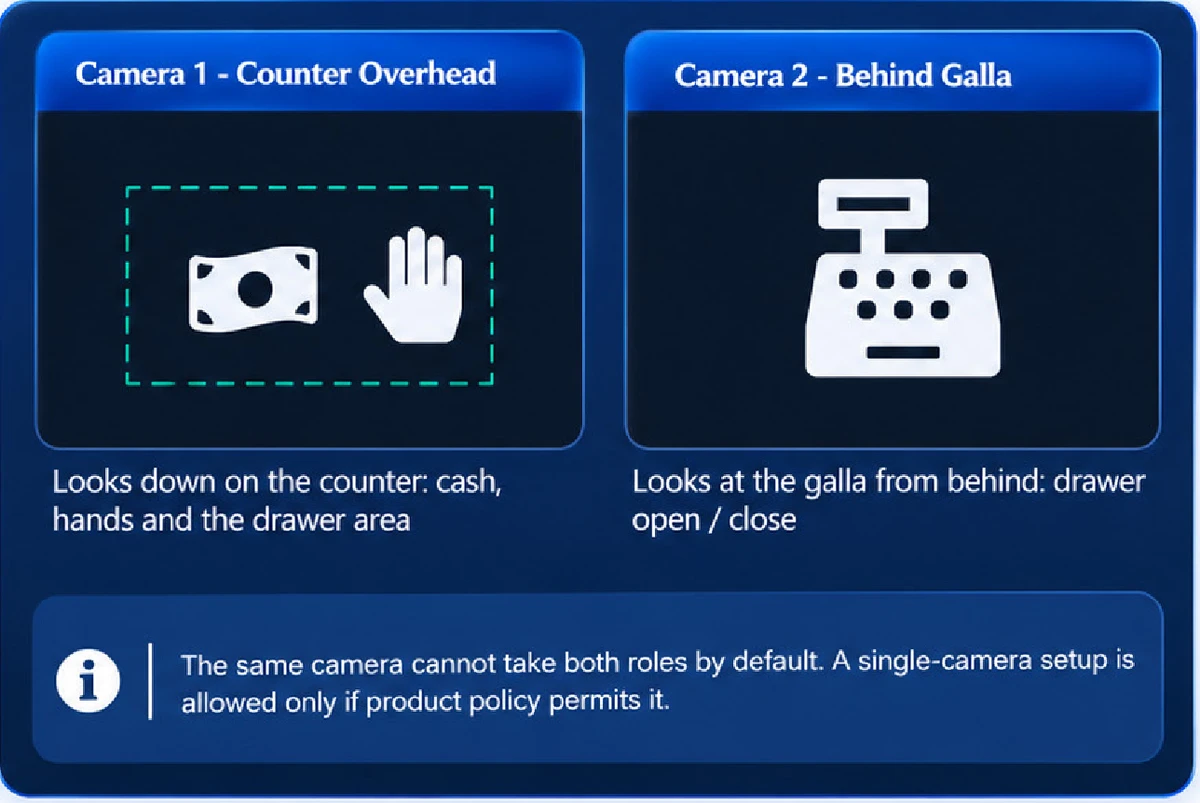
Two cameras, two angles
The drawer, hands and counter must be in view. No camera can see what is outside its frame.
- 1Counter Overhead looks down on the counter: cash, hands and the drawer area.
- 2Behind Galla looks at the galla from behind: drawer open and close.
1080p and a stable stream is a good starting point, not a guarantee. Analog cameras need a compatible DVR. Not every Wi-Fi camera will work. The DBI team confirms the exact setup for your shop.
Our solution
A separate AI for the cash counter
It runs on the cameras you already connected. No POS or billing software needed. Works on CCTV video only.

Watches the drawer
Spots the galla drawer opening and closing, and hands going into the drawer area.

Follows cash handling
Flags visible hand-and-cash movement, such as cash moving from the drawer to another area.
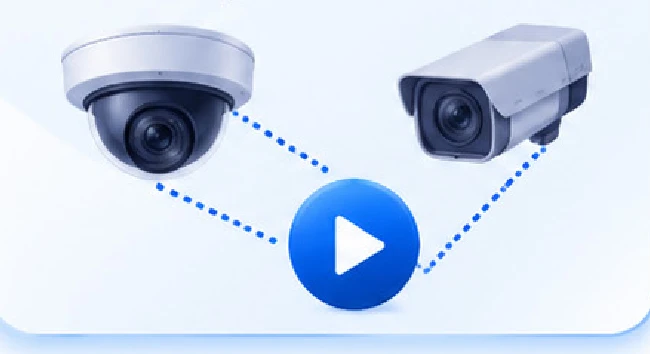
Two angles, one story
Links clips from the overhead camera and the behind-galla camera by time.
How it works
From a connected camera to a reviewed incident
Simple for you, step by step.
- 1
Connect your cameras
Your existing cameras are connected through the DBI hardware device.
- 2
CounterGuard is switched on
DBI activates CounterGuard for your shop, and it appears in your menu.
- 3
Map your two cameras
Camera A is Counter Overhead, Camera B is Behind Galla.
- 4
Setup is checked
Stream, time, resolution, frame rate and the counter area are validated.
- 5
Monitoring starts
It starts only when the setup is valid and the service is healthy.
- 6
Review short clips
Each flag has a short clip. You review it and decide. You can switch it off anytime.
Alerts you can trust
Every flag is a short clip to review
Careful wording, both angles, and a clear review choice.
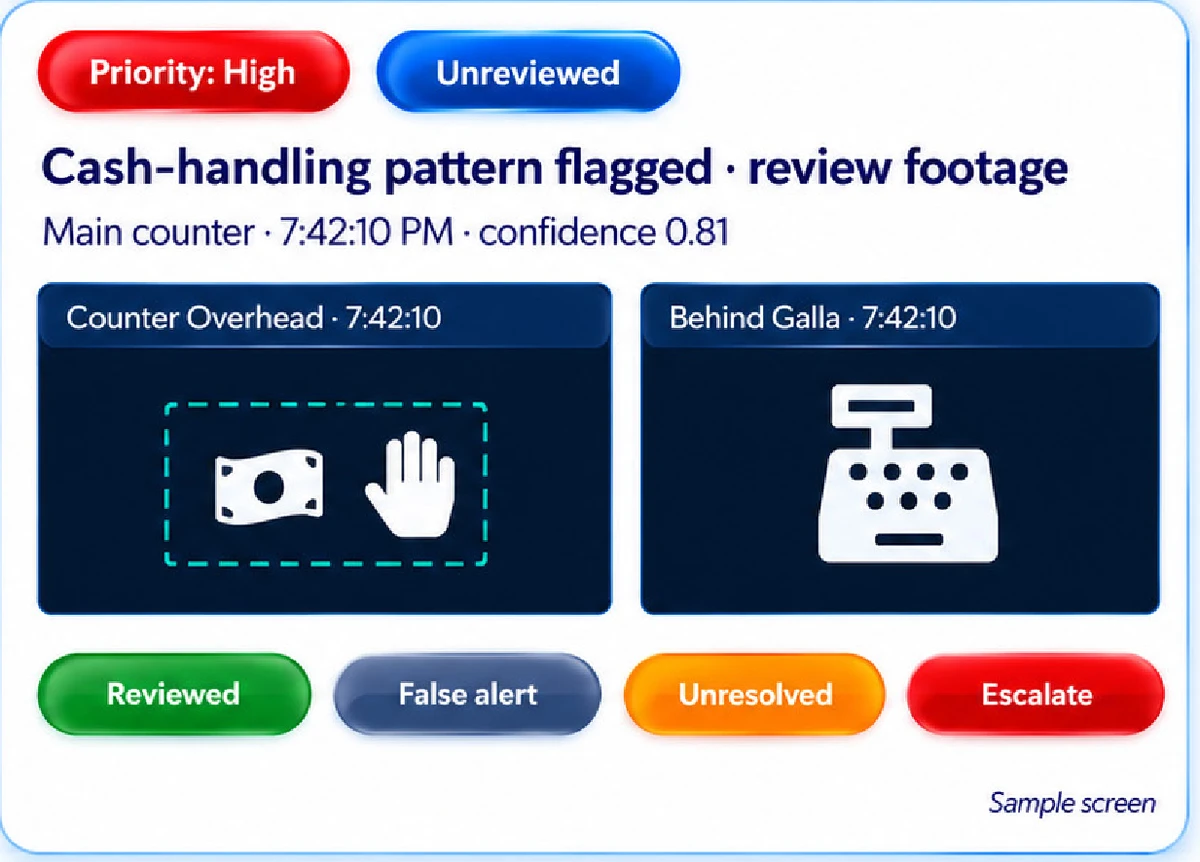
Each incident includes
- Event type and time
- The camera or cameras involved
- Confidence and priority
- The clip, when available
- Review status and full history
You mark each incident Reviewed, False alert, Unresolved or Escalate. Every false alert you mark helps improve accuracy.
We say
- Drawer activity detected
- Cash-handling pattern flagged
- Review recommended
We never say
- Theft confirmed
- This person is a thief
- Exact amount missing
Honest about limits
What it can flag, and what it cannot
We are clear about the limits of CCTV-only AI.
Can be attempted from video
- Visible hand and cash interaction
- Drawer opening and closing
- Movement between visible areas
- A person entering the counter zone
- Patterns flagged for human review
Cannot be promised from CCTV alone
- The exact amount of cash taken or left
- Whether a sale was billed (needs POS data)
- Proof that a person committed theft
- Anything outside the frame or fully hidden
- Perfect detection with zero false alerts
What you see
Cameras, incidents and reports
The three screens shop owners use most, with an honest status always.
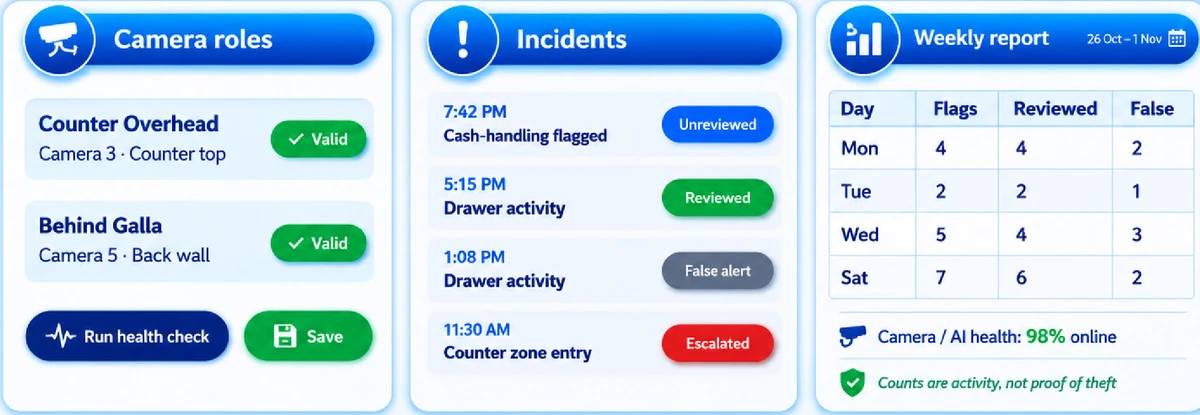
Both cameras online and the AI is running.
Sample data, clearly labelled.
One camera down, blur or low light.
Stream lost or the AI is not running.
Low light, blur, people blocking the view and clock drift between cameras can affect results. These limits are shown, never hidden.
Privacy and trust
Each shop's cameras, clips and incidents stay with that shop
Your shop's data kept apart
Settings, incidents, clips, reports and alerts belong to your shop only.
Camera passwords stay safe
Stream passwords are encrypted, and camera links never reach the browser.
Clips on a timer
Clip retention is configurable. Turning the AI off never silently deletes evidence.
A flag, never a verdict
CounterGuard never labels a person a thief. A person reviews every flag and decides.
Notice and consent
Give clear notice and follow access rules for staff and customers where required.
Fair to your team
Human review and careful wording protect honest staff as well as the shop.
Why DBI CounterGuard
Compared with watching the counter yourself, and with plain CCTV
What's next
Start fair and simple, then grow with the shop
- Drawer and cash-handling flags
- Two-camera clips linked by time
- Incident review and reports
- Single-camera setup option
- Push and WhatsApp alerts
- Weekly owner summary
- Tuned thresholds per shop
- Optional POS / billing link
- Many counters per store
- Compare counters and shifts
- One app with all DBI AI products
Our rule: no new AI claim goes live until it is tested on real counter footage with agreed accuracy targets.
Questions shop owners ask
Frequently asked questions
No. CounterGuard works on the CCTV cameras you already have, connected through the DBI hardware device. For the best result you need two views: one looking down on the counter and one behind the galla. The DBI team confirms the setup for your shop.
Interested?
Get pricing for your shop
DBI CounterGuard runs on the DBI hardware device and works with the cameras you already have. Pricing is different for each product and shop, so fill the form and your question will reach the DBI team.